
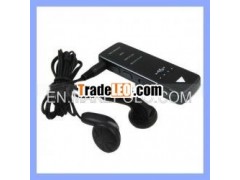

 Click image to view full size image


Description:
New Arrival MP3 Player Voice recorder1.usb flash disk
2.mp3 player
3.voice recorder
New Arrival MP3 Player Voicerecorder
1, Power on / off:
When the power switch "POWER" keyto "ON" position, the machine automatically and immediately set on.To "OFF" the machine set off. After booting screen LOGO lights,after initialization, the recording playback in standby mode (RECPLAY indicator light).
2, key functionsdefined
REC:REC switch to the RECposition to enter the recording screen REC
flashes.
MODE: Short press this key to"play recording" or "music player" conversion.Screen
the REC PLAY light indicates thatthe recording to playback standby, MUSIC
PLAY indicates music playerstandby.
PLAY/PAUSE:In recording playbackstandby state, short press here to enter
the sound recording playback (Atthis point REC the PLAY flashing), in music
player standby state, short presshere to enter the music player (in this case
MUSIC PLAY flashing). Whenplaying, again short press to enter a suspended
state, the screen display to stopflashing.
UP: In play or pause state,short-press this key can move forward to
replacement play a track (longpress fast forward).
DOWE: In the state of play orpause, short -press this key can move later
to replacement play a track (longpress rewind)
VOL : Press to increasevolume
VOL-: Press to reducevolume
3,One-button recording
In any standby state, move "REC"button to REC to enter the recording status (REC indicator blinks),In the recording process, move "REC" key to KEEP to save the audiofile and then exit the recording into the recording playbackstandby. Wait for 60S into the soft-off state! Waiting for the nextpress the REC button.
4, Hearing aidfunction
Plug in your headphones whenrecording can achieve hearing aid and record the entire hearing aidprocess.
5, Recording playback
In the recording standby state(screen REC PLAY "light), short press" PLAY / PAUSE "button tostart playing the audio file (in this case the" REC PLAY indicatorflashes).
6, Music player
In music player standby state (inthe music player screen "MUSIC PLAY light), press the" PLAY / PAUSE"button to start playing music files (in this case the" MUSIC PLAYindicator blinks).
Note: Because the recording savedtakes a few seconds, it takes a few seconds after stop recording tore-recording the second paragraph of the recording. It can recordup to 99 files, please clean up regularly the recording file ofrecording folder ( DVR).
Pictures
New Arrival MP3 Player Voice recorder
